
Home and Decor
6 min read
How to Choose Work Tools That Truly Support You?
February 19 , 2026
By Sienna Claire
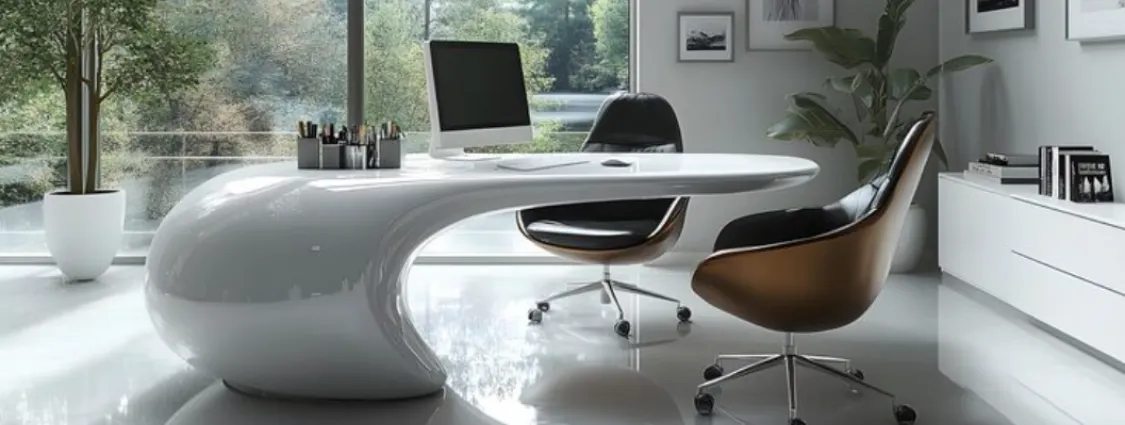
You rely on work tools more than you realize. From the moment the screen lights up to the last task of the day, your laptop, monitor, lighting, and seating shape how you think, focus, and finish work
You rely on work tools more than you realize. From the moment the screen lights up to the last task of the day, your laptop, monitor, lighting, and seating shape how you think, focus, and finish work. When these tools support you properly, work flows. When they do not, every task feels heavier than it should.
Many people upgrade tools based on features, trends, or short-term convenience. The problem is not poor intention. The problem is ignoring how these choices affect daily performance over long hours. A fast laptop still strains the eyes if the screen sits too low. A large monitor still causes tension if lighting creates glare. Even the best software cannot compensate for physical discomfort.
Brands like Hinomi appear in these conversations because work tools extend beyond technology alone. Support comes from how well each element fits your body, space, and work habits. Choosing smarter tools means choosing tools that work with you, not against you.
Understanding What “Support” Really Means at Work
Support often gets confused with power or aesthetics. Faster processors, larger screens, or stylish furniture feel appealing. Real support works quietly. It reduces strain, preserves focus, and allows consistency throughout long workdays.
A supportive setup considers how you sit, where you look, how light hits your eyes, and how your hands move. Each tool plays a role. Ignoring one weakens the rest.
Choosing a Laptop That Works With Your Body
Laptops are central to most workdays. Portability matters, yet ergonomics often suffer. Built-in screens sit low. Keyboards lock hands into fixed positions. Over time, this encourages forward head posture and rounded shoulders.
Supportive laptop use means planning beyond the device itself. External keyboards, stands, or docking setups raise screens closer to eye level. This reduces neck strain and helps maintain upright posture.
Processing power and battery life still matter. Yet comfort determines how long you stay focused. A laptop that forces constant adjustment drains energy faster than one integrated into a thoughtful setup.
Why Monitor Choice Affects Focus More Than Size?
Bigger monitors attract attention, yet size alone does not guarantee comfort. Screen height, resolution, and placement influence eye movement and neck alignment.
A supportive monitor sits slightly below eye level. Text remains clear without forcing squinting. Adequate resolution prevents eye fatigue during long reading sessions.
Dual monitors can help or hurt. Proper alignment keeps head movement minimal. Poor placement causes repetitive twisting that strains the neck. Support comes from balance, not excess.
Lighting Shapes Mental Stamina
Lighting rarely receives planning. Many workspaces rely on overhead lights or window glare. Both create contrast issues that tire the eyes.
Supportive lighting reduces harsh shadows and reflections. Soft ambient light paired with focused task lighting improves visual comfort. Position matters. Light should illuminate work surfaces without shining directly into the eyes or reflecting off screens.
Over time, proper lighting preserves alertness. Headaches decrease. Focus lasts longer. Lighting becomes invisible rather than distracting.
Input Tools That Respect Natural Movement
Keyboards and pointing devices affect wrist and shoulder comfort. Flat keyboards encourage inward wrist angles. Poor mouse placement strains the shoulder.
Supportive input tools allow neutral wrist positioning. Adjustable keyboard trays or ergonomic designs reduce repetitive strain. Mouse placement close to the body minimizes shoulder lift.
These adjustments appear minor. Over months, they protect joints and reduce fatigue that slows work.
Seating as One Part of a Smarter Setup
Among all work tools, seating often carries the greatest physical impact. Sitting occupies most office hours. When seating lacks support, the body compensates continuously.
A supportive office chair maintains spinal alignment, distributes pressure evenly, and adjusts to body dimensions. Lumbar support keeps the lower back stable. Adjustable armrests reduce shoulder tension. Seat depth prevents circulation issues behind the knees.
Choosing an ergonomic office chair becomes a smarter decision when viewed as part of the entire setup. Within the office chair collection offered by Hinomi, seating is designed with adjustable back support, breathable materials, synchronized recline mechanisms, and height adaptability suited for extended work sessions. Selecting an ergonomic office chair from Hinomi supports posture during long hours without demanding constant attention or adjustment.
Why Tool Compatibility Matters?
Each tool influences how the others perform. A supportive chair loses value if monitor height forces forward lean. Good lighting cannot fix a screen placed too low. Compatibility creates support.
When tools align, movement decreases. You shift less. You fidget less. Focus stays anchored on tasks rather than discomfort.
Avoiding Short-Term Thinking
Many purchases prioritize immediate satisfaction. A sleek design. A lower price. A quick fix. Supportive tools reward patience instead.
Short-term comfort fades quickly. Long-term support compounds daily. Over time, consistent posture and reduced strain preserve energy and output.
Evaluating Tools Through Daily Use
Before choosing any work tool, consider daily interaction. How many hours will you use it? Where does your body feel strain by midday? Which movements repeat most often?
Support answers these questions. It does not promise excitement. It promises sustainability.
Why Smarter Choices Protect More Than Productivity?
Work tools influence life beyond work hours. Reduced strain leads to better recovery. Evenings feel less stiff. Sleep improves. Motivation returns faster each morning.
Supportive tools protect long-term health while preserving daily performance. That balance matters more than trends or appearances.
Building a Work Setup That Works With You
Choosing work tools is not about chasing upgrades. It is about reducing friction between your body and the work you do every day. When laptops sit correctly, monitors align naturally, lighting supports vision, and seating maintains posture, work feels steadier and more manageable.
Supportive tools fade into the background. They allow attention to remain on thinking, creating, and deciding rather than adjusting and compensating. Over time, that quiet support preserves energy and consistency.
Hinomi fits into this approach as a store offering ergonomics-focused office seating designed to complement modern work setups. Their attention to adjustability reflects how varied workdays and body needs can be.
You do not need to replace everything at once. Start with tools that reduce the most strain. Build a setup that respects how you work and how long you work. When tools truly support you, productivity follows naturally.
Choosing the right work tools reduces strain and improves focus. Learn how smarter setups and ergonomic seating from Hinomi support daily work.
live smarter
Shop smarter, live better, and stay ahead of the trends with our reliable recommendations!



Fitness and Sports
7 min read
Teeter Home Fitness Essentials: FitSpine LX9, FreeStep LT7, and ProFlex 432 for Recovery, Cardio, and Strength

trending
Health and Beauty
8 min read
From Tummy Time to Toddler Play: Creating a Comfortable Everyday Play Space
Home and Decor
7 min read
Small Apartment Lighting Ideas That Maximize Space and Style
Gadgets and Tech
9 min read
Happy Customers Can Become Your Strongest Online Proof
Fashion
9 min read
A Smarter Way to Pack for Your Next Round of Golf
Fitness and Sports
15 min read
How to Make a Daily Vitamin Routine More Enjoyable and Consistent
Travel
7 min read